Calendar feed
Every user can subscribe to a private iCalendar (.ics) feed with their pets’ upcoming care. It needs no SMTP and no extra configuration.
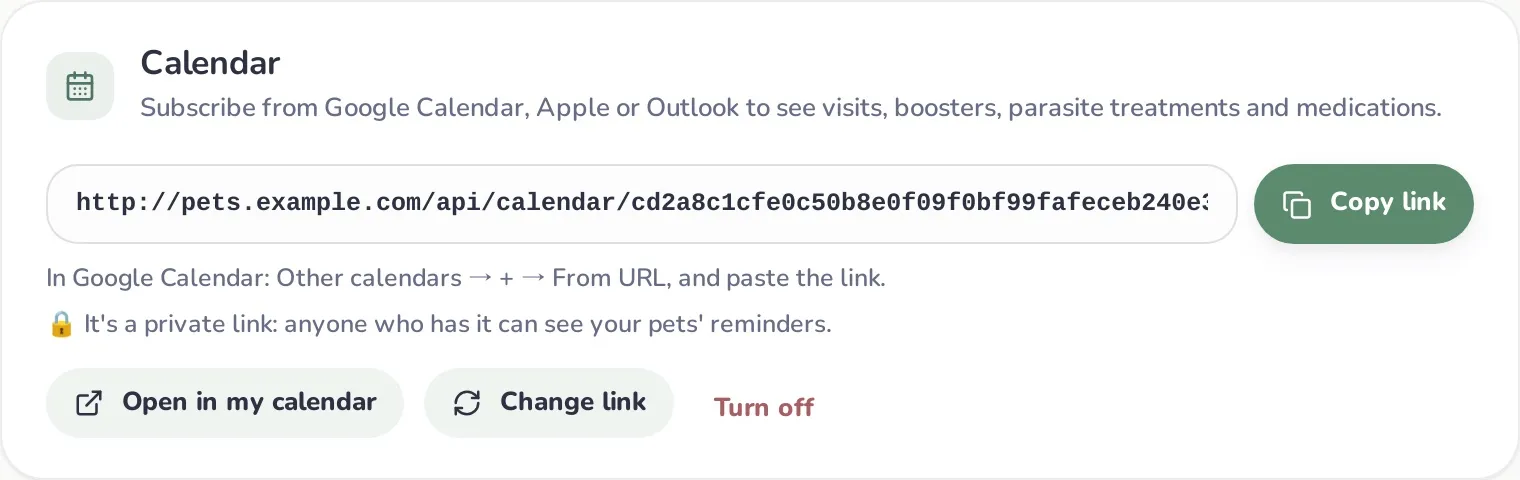
Create your link
Section titled “Create your link”- Go to My account → Calendar.
- Click Create calendar link.
- Copy the link (Copy link), or click Open in my calendar to hand it to your calendar app directly (
webcal://).
The link looks like http://192.168.1.50:3000/api/calendar/<long-random-token>.ics.
Add it to your calendar
Section titled “Add it to your calendar”- Apple Calendar (macOS/iOS): use Open in my calendar, or File → New Calendar Subscription… and paste the link. Your device fetches the feed itself, so it works on your home network or through your VPN.
- Thunderbird and other desktop calendar apps that fetch subscriptions from your computer work the same way.
What’s in the feed
Section titled “What’s in the feed”- Next vet visits (from each pet’s most recent checkup)
- Vaccine boosters (latest dose of each vaccine)
- Parasite treatments (latest of each type)
- Ongoing treatments, as multi-day events from the checkup date to the last day
Visits, boosters and treatments are all-day events with an alert at 9:00 the day before. The feed includes everything overdue plus the next 365 days, for every pet you own or that’s shared with you. Event titles are in your language, e.g. Milo: Vaccine booster — Rabies.
Calendar apps refresh subscriptions on their own schedule, usually every few hours.
Keep it private
Section titled “Keep it private”The link works without signing in: anyone who has it can see your pets’ upcoming care. That’s why it’s long and random.
- Change link: creates a new URL; the old one stops working immediately. Re-add the new one to your calendars.
- Turn off: disables the feed completely.