Reports & export
Printable report
Section titled “Printable report”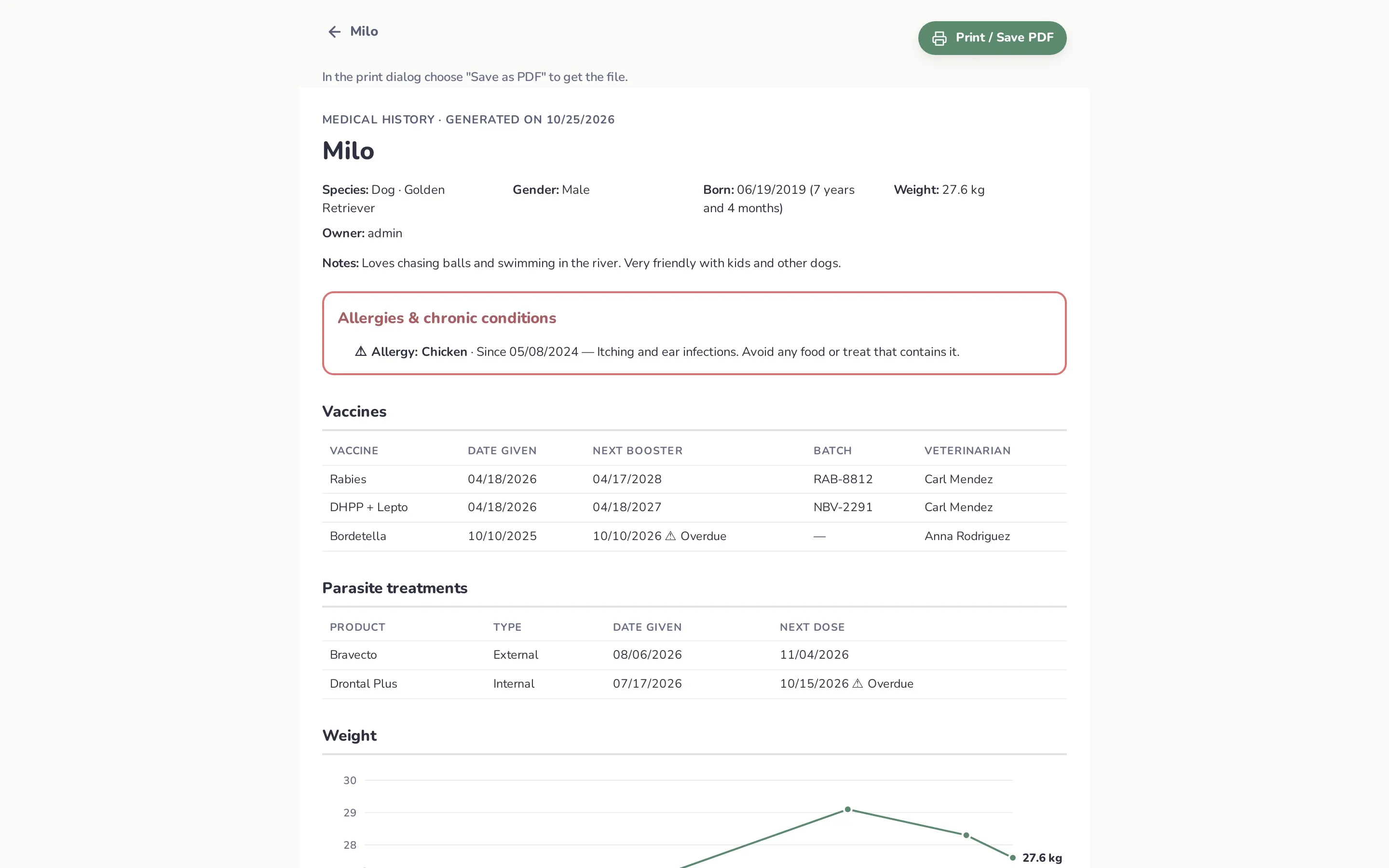
Profile → Printable report / PDF opens the complete medical history on a page made for printing:
- pet details and owner,
- allergies & chronic conditions in a highlighted box,
- vaccines (with overdue boosters marked),
- parasite treatments,
- weight chart and table,
- every checkup with diagnosis, observations and medications,
- every lab exam with its values.
Click Print / Save PDF and choose Save as PDF in the print dialog to get a file to email to a new vet. The report always prints in light colors, even in dark mode.
Share summary
Section titled “Share summary”Profile → Share summary builds a short plain-text summary:
- species, breed, age and weight,
- allergies and chronic conditions,
- last checkup and next visit,
- medications from the last checkup,
- current vaccines and parasite treatments (with overdue warnings),
- out-of-range values from the latest exam,
- notes.
If the browser supports sharing (most phones and some desktop browsers), it opens the system share sheet (WhatsApp, Messages, email…). Otherwise the summary is copied to the clipboard.
Export a pet
Section titled “Export a pet”Profile → Export pet (ZIP) downloads a file like pethealth-milo-2026-10-25.zip with:
pet.json — every record: details, conditions, checkups, medications and doses, exams and values, vaccines, parasite treatments, weightsfiles/ — the photo, exam PDFs and all attachmentsAnyone who can view the pet can export it.
Import a pet
Section titled “Import a pet”Dashboard → Import and choose a PetHealth ZIP (max 200 MB). PetHealth creates a new pet owned by you, with all its history and files. Use it to:
- move a pet to another PetHealth server,
- hand a pet’s history to a new owner,
- keep an offline copy of one pet.
Details:
- The original pet isn’t affected; importing twice creates two pets.
- Links between exams and their checkup are kept. Doses are kept, but without the name of who gave them.
- Every file is checked by its content, and only real images and PDFs are imported.
- If anything required is missing, nothing is imported.
- Large imports may need a bigger upload limit on your reverse proxy (
client_max_body_size 200min nginx).