Sharing
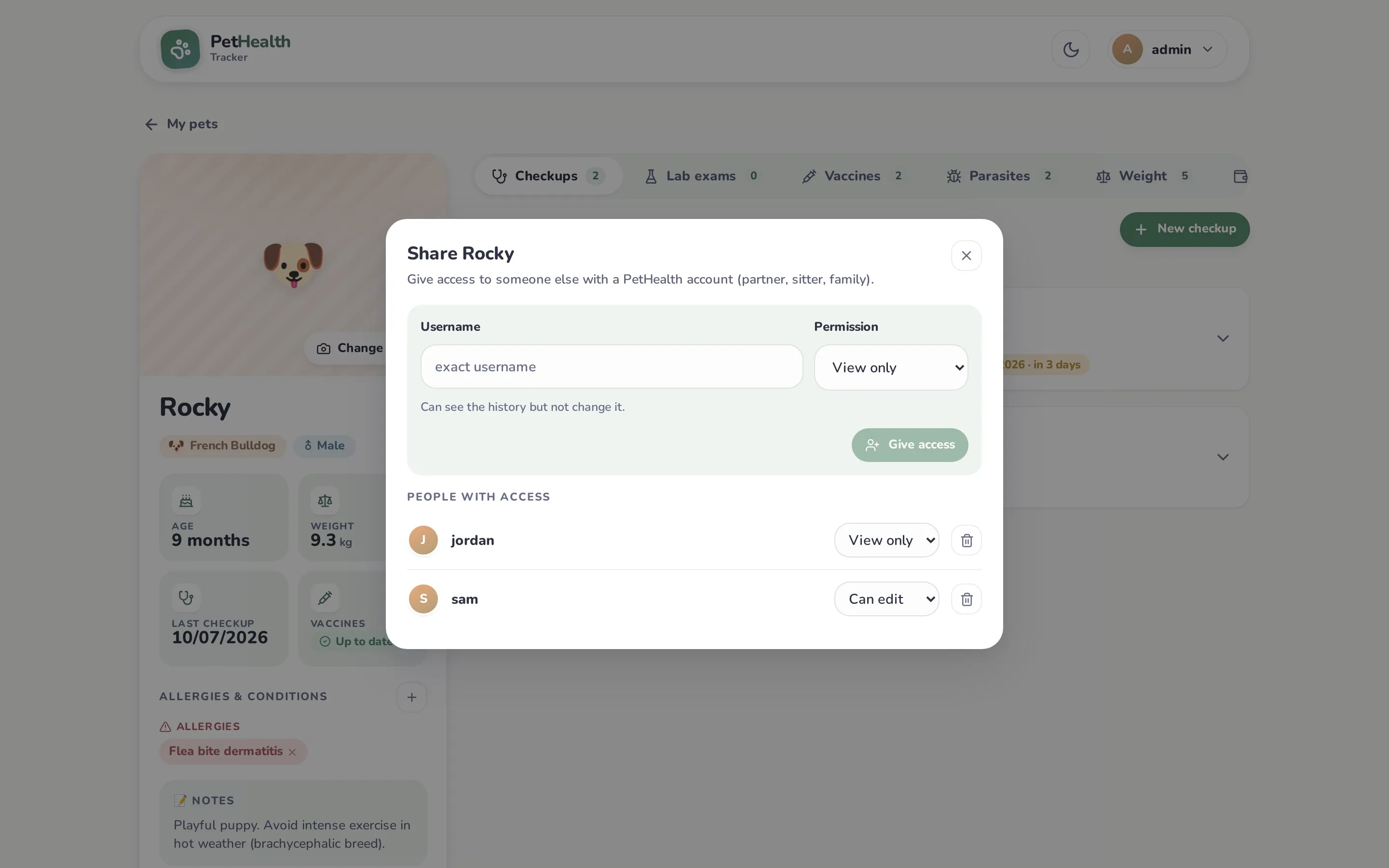
Every pet has one owner (whoever created it). The owner can share it with other PetHealth users on the same server.
Share a pet
Section titled “Share a pet”- The other person needs an account on your PetHealth. Create one by enabling sign-up (
ALLOW_REGISTRATION=true) at least temporarily. - On the pet’s profile, click Share access.
- Enter their exact username, choose a permission and click Give access.
| Permission | Can |
|---|---|
| View only | See the pet, its whole history and files; receive its reminders (dashboard, email, calendar); print and export it. |
| Can edit | Everything above, plus add, edit and delete checkups, exams, vaccines, parasite treatments, conditions and weight; log doses; change the photo and details. |
| Owner | Everything, plus delete the pet and manage who has access. |
Change someone’s permission from the list, or remove their access with the trash icon.
For the person you shared with
Section titled “For the person you shared with”Shared pets appear on their dashboard after their own, with a badge showing their permission and “Shared by …”. To remove a shared pet from your account, use Stop viewing on its profile. The owner will need to share it again.
Dose tracking with several people
Section titled “Dose tracking with several people”Every dose records who logged it, and the dashboard shows today’s progress for everyone, so nobody has to ask whether the pill was already given.