Lab exams
Add an exam
Section titled “Add an exam”Profile → Lab exams → New exam.
| Field | Notes |
|---|---|
| Exam type | Required, e.g. Complete blood count, Blood chemistry, Urinalysis, X-ray. |
| Exam date | Required. |
| Laboratory | Optional. |
| Cost | Optional; counts toward expenses. |
| Associated checkup | Optional; links the exam to a visit of the same pet. |
| Notes | Optional. |
| Optional lab report, max 15 MB. | |
| Exam values | Any number of rows: parameter, value, unit, reference range, and an Abnormal checkbox. |
Values are free text, so <0.5, 1,1 or 98 U/L are all accepted.
Reading results
Section titled “Reading results”Expand an exam to see its values in a table. Abnormal values are highlighted in red, and the header shows the lab and cost. From here you can open the PDF, Edit the exam and its values, attach up to 3 more files (images or PDFs, 10 MB each), or delete it.
Trend charts
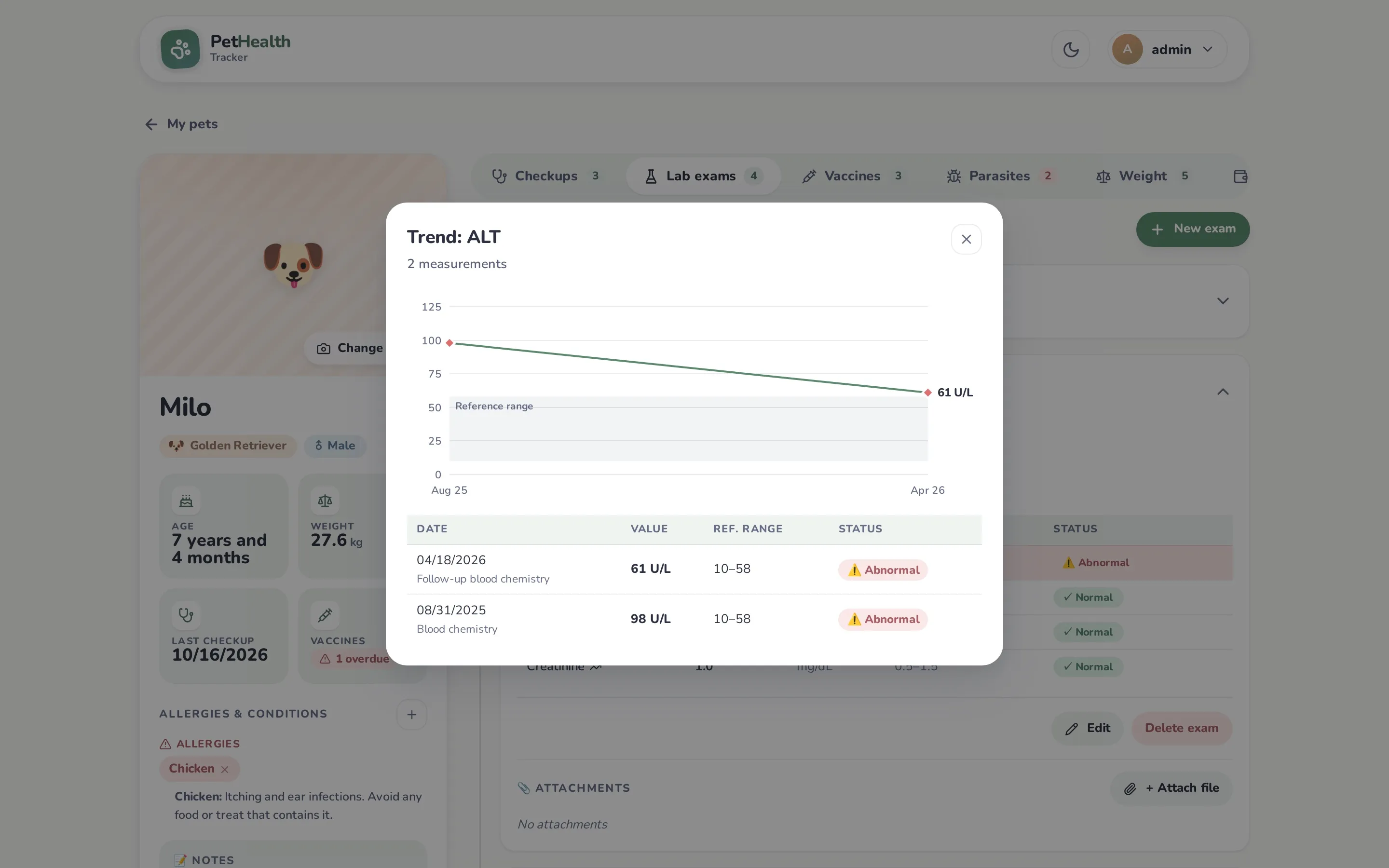
Section titled “Trend charts”When a parameter (matched by name, ignoring case) appears in more than one exam, its name gets a trend icon. Click it to open Trend:
- a line chart of every numeric value over time,
- the reference range shaded, when it can be read (formats like
10–58,10 - 58,5,4-7,5,60 to 77), - abnormal points in red,
- a table with each date, value, range and status.
Non-numeric values (e.g. positive) are listed but can’t be charted.